Blood testing, simplified for modern clinics
Doxtor brings blood test orders, sample preparation, the laboratory, results and patient reports into one platform. Your team knows what to collect, where every sample is, and when results are back.
- Clinic console
- Patient portal
- Branded reports
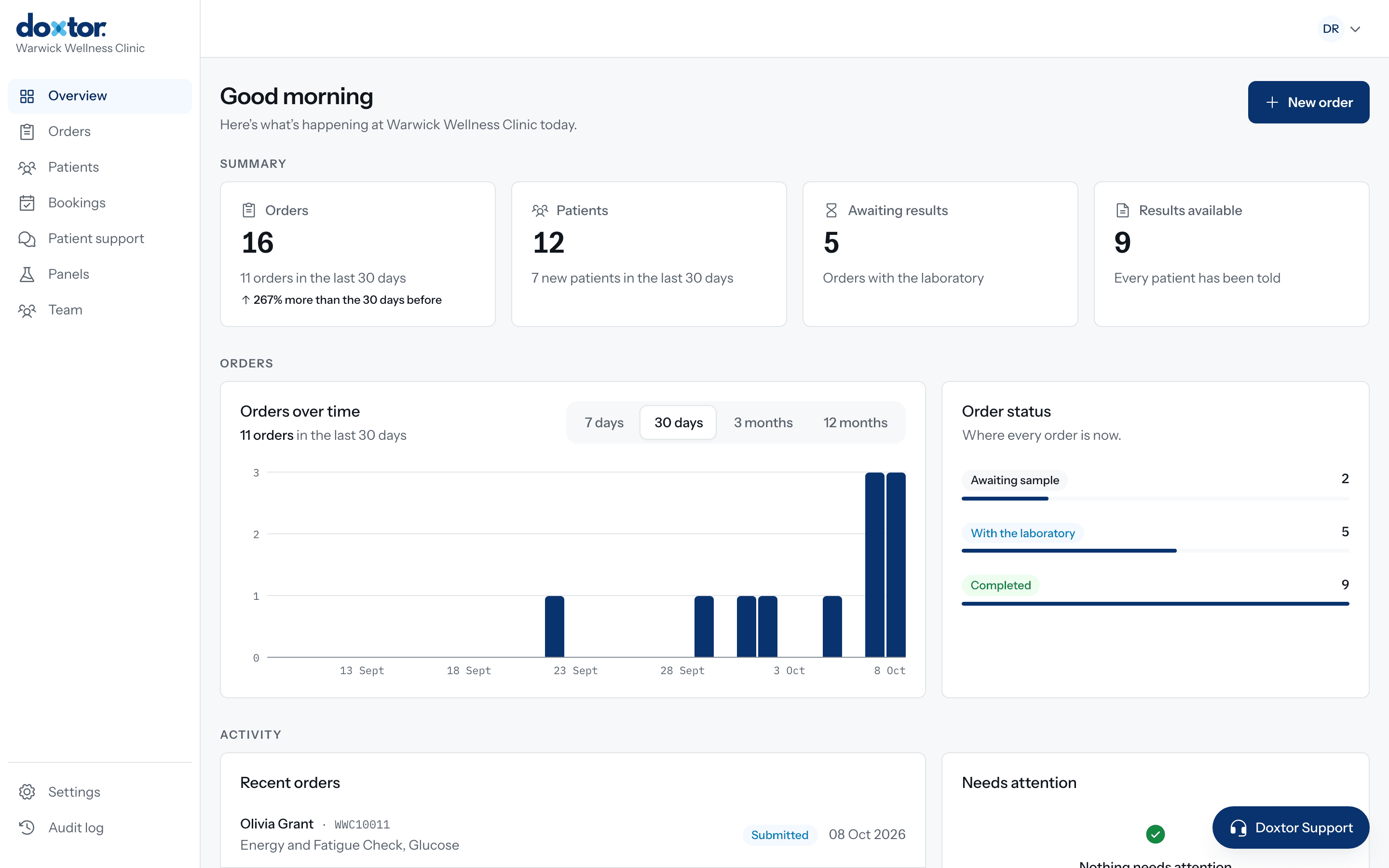
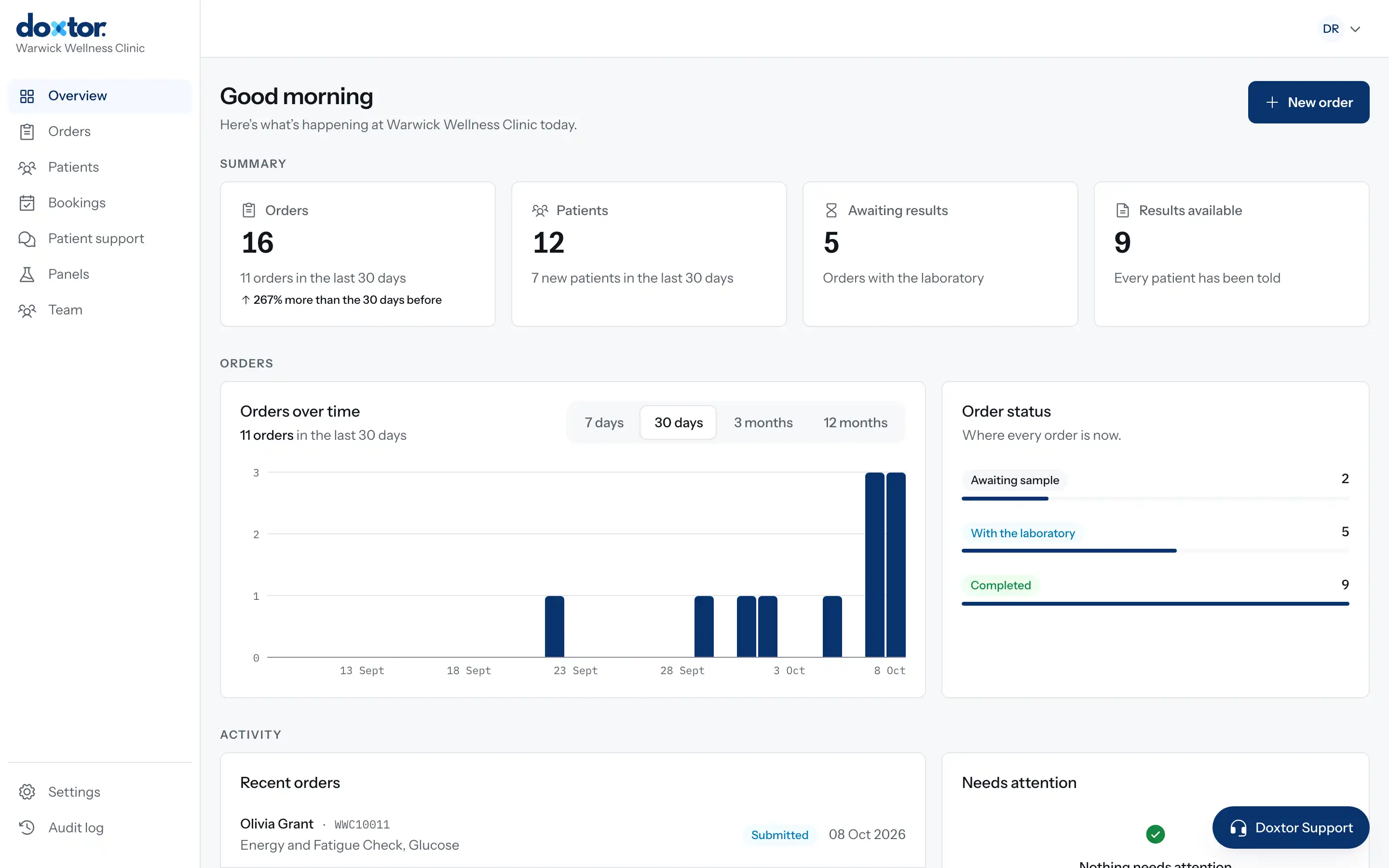
A blood test is a dozen small decisions
Every order raises the same practical questions, and most clinics answer them from memory, laboratory documents and spreadsheets. A wrong tube or a missing label means the patient comes back for another sample. A result that sits in an inbox means a patient left waiting.
- TestsWhich panel covers what this patient asked for, and what does it cost?
- SamplesWhich tubes does this combination of tests need, and how many of each?
- VolumesHow much blood goes in each tube, and which tubes are filled to the line?
- CollectionIs there anything special about collecting this sample?
- LabelsIs every tube labelled with the barcode for the right order?
- DispatchHave the samples been sent, and has the laboratory received them?
- ResultsWhich results are back, and which are outside the range?
- PatientsHow does the patient get a report they can actually read?
From test selection to the patient, in one place
Doxtor follows each blood test through seven stages, and every stage knows what happened in the one before.
Test selection
Panels, biomarker groups or single biomarkers. A test already covered by another choice is removed for you.
Order
Choose or add the patient, see the price, and place the order.
Sample preparation
Each tube or container to collect, how many, and which tests share it, with any collection instructions.
Barcode
One barcode for the order, printed on a label for every sample.
Laboratory
The order goes to the laboratory electronically. Its address and packaging steps are on the order.
Results
Results arrive from the laboratory with units and reference ranges, straight onto the order.
Patient
A secure link or the patient portal, and a report the patient can read.
How Doxtor works, in five steps
Each step happens in the same order, on the same screen your team already has open. Nothing is copied between systems.
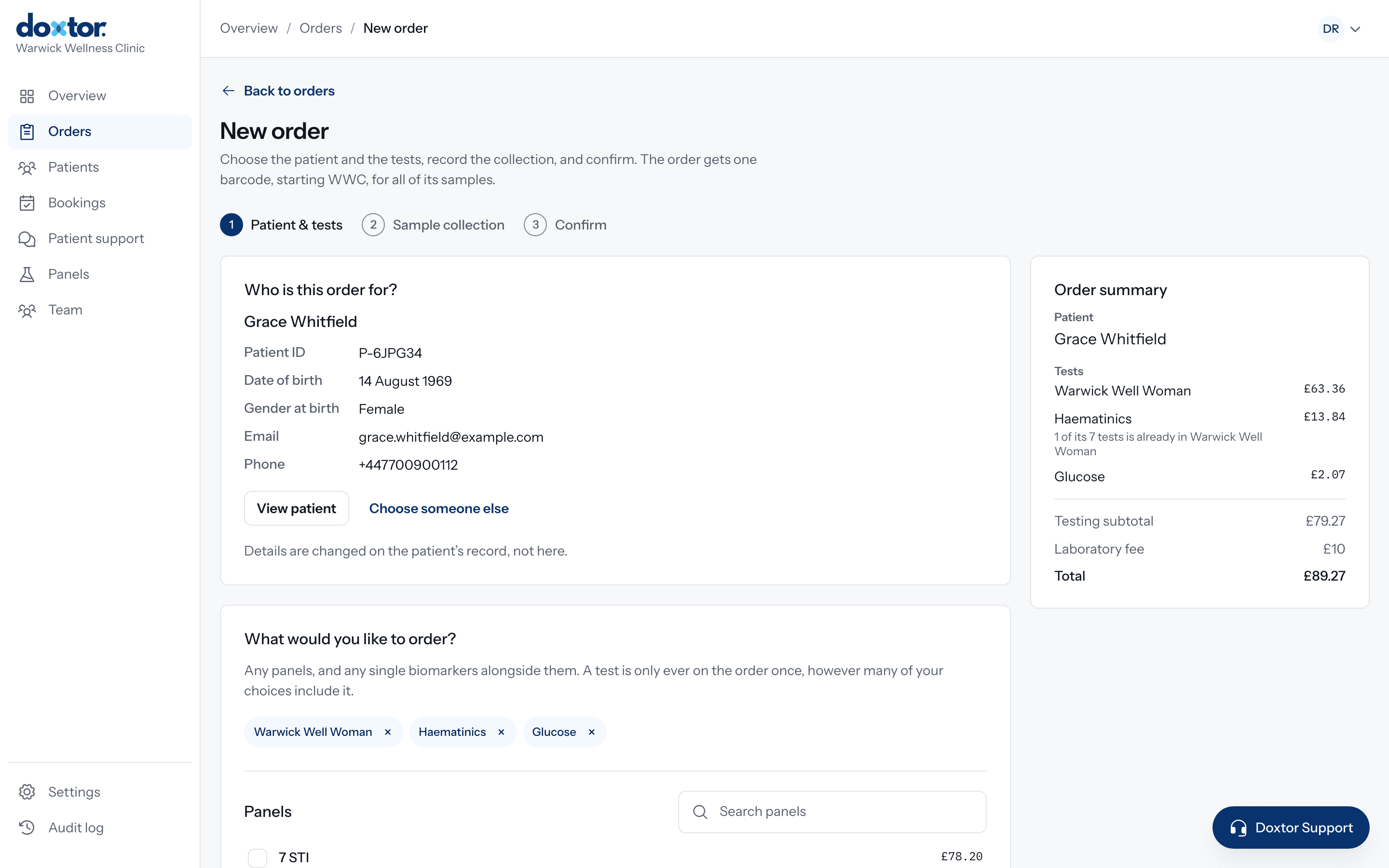
Create an order
Choose the patient, then the tests: your clinic's own panels, the laboratory's panels, biomarker groups or single biomarkers. Doxtor removes anything already covered by another choice and shows the price before you place the order.
- Find a patient or add a new one without leaving the order
- Build panels of your own and order them in one click
- The price is worked out as you choose
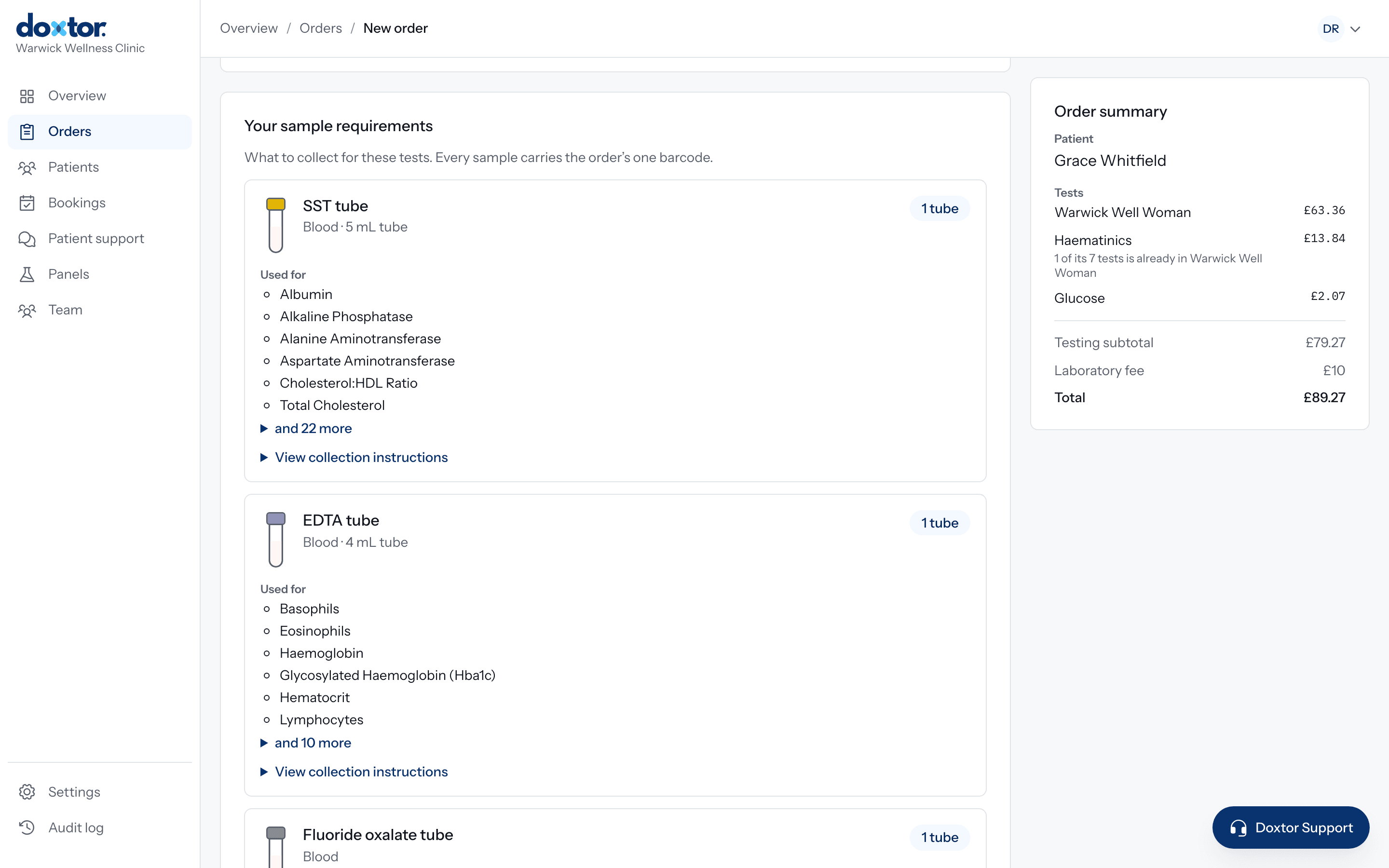
Prepare the samples
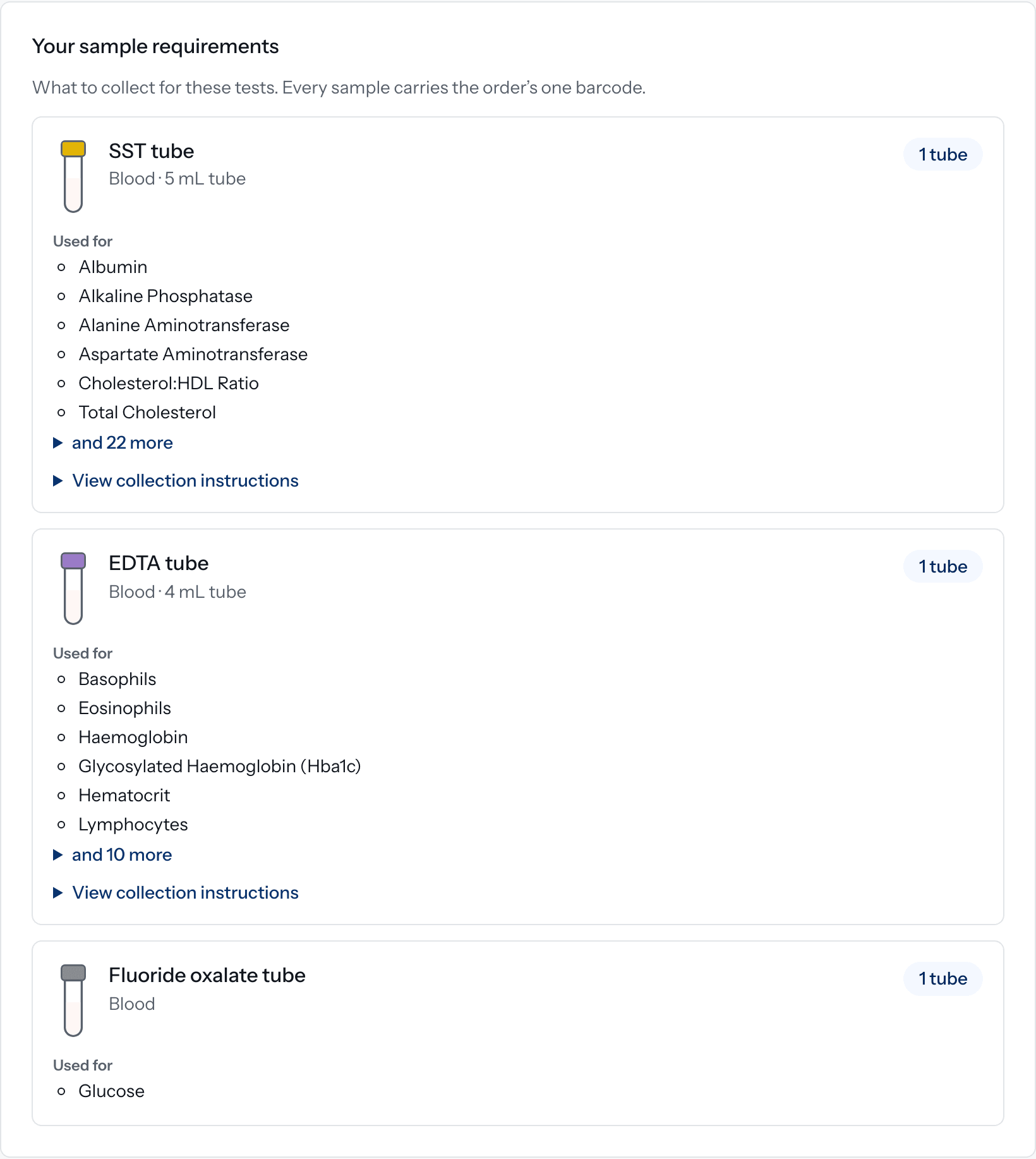
Doxtor works out what to collect from the tests on the order. One row for each tube or container: which kind, how many, and which tests it is for. Your team does not need to know which tests share a tube.
- Tubes listed in the order of draw, with their cap colour
- Volumes shown where the laboratory has confirmed them, never guessed
- Collection instructions and videos where they apply
- A clear warning if a test's requirement is not known, before anyone collects
- SSTSerum
- EDTAWhole blood
- Fluoride oxalateGlucose
- CitrateFill to the line
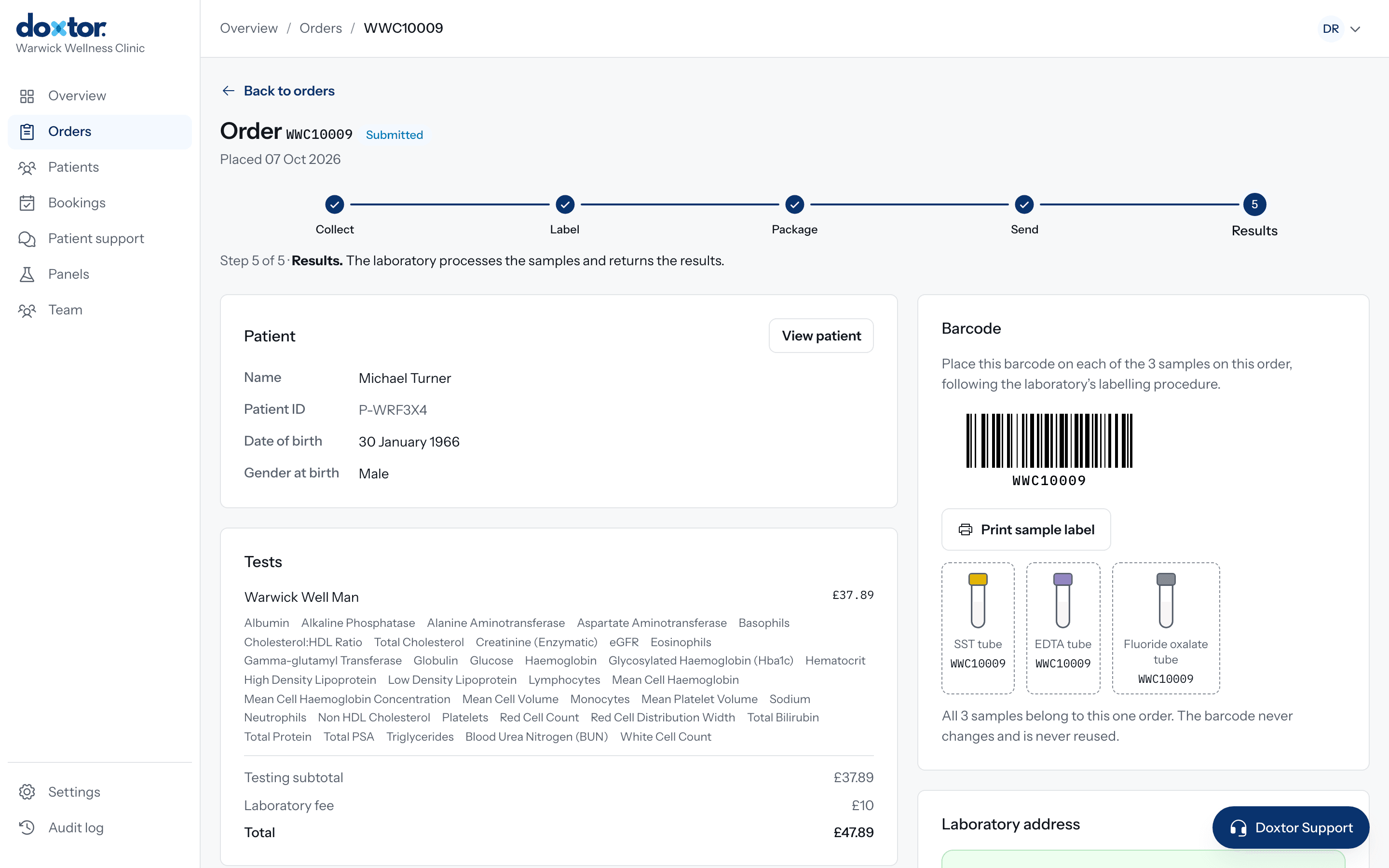
Send to the laboratory
Placing the order issues one barcode and sends the order to the laboratory electronically. Print a label for every sample, package them as the laboratory asks, and mark them as sent. The order shows where its samples are at every stage.
- Collect, label, package, send and results, tracked on the order
- The laboratory's address and packaging instructions on every order
- A reminder to your team if collected samples have not been sent
- Confirmation when the laboratory receives the samples

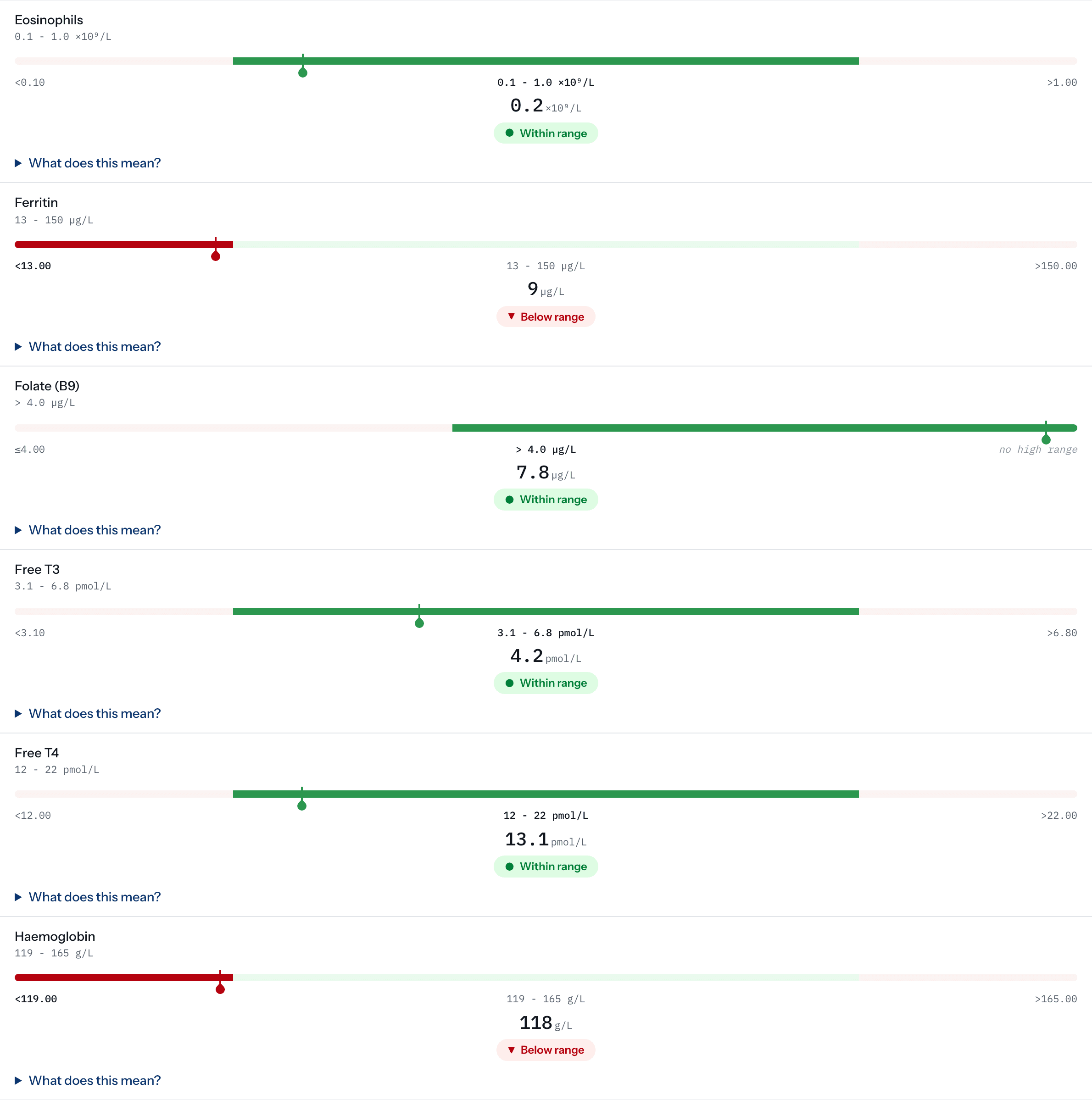
Receive results
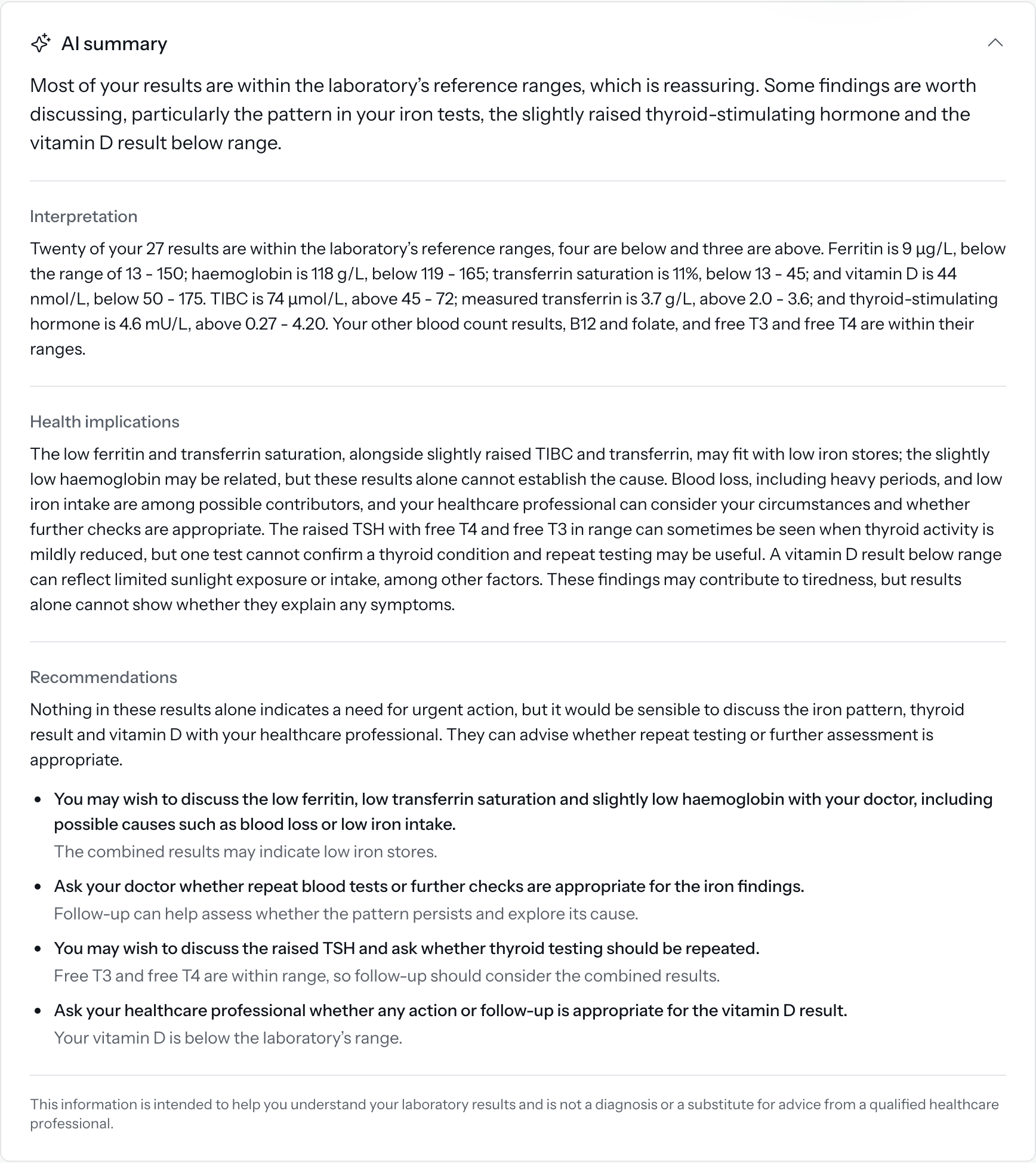
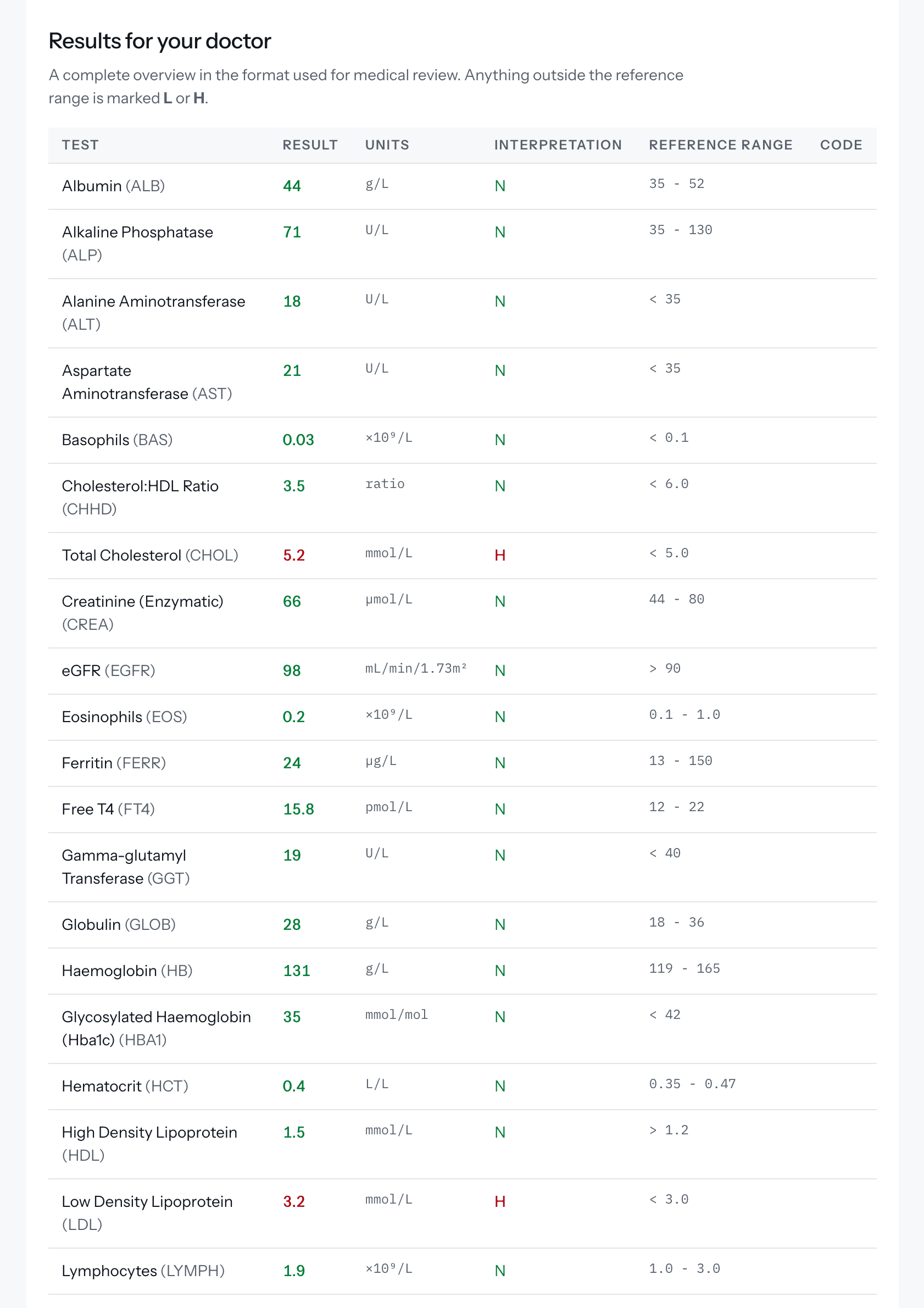
Results arrive from the laboratory straight onto the order: each biomarker with its result, unit and reference range, and where it sits in that range. Your team sees what is outside the range at a glance, and the report is released to the patient exactly as the laboratory sent it.
- Outside the range is shown with a label and a marker, never by colour alone
- A test the laboratory could not perform is shown as not performed, never left blank
- A critical result emails your team and stays at the top of the console until someone marks it seen
- If the laboratory corrects a result, the report is updated and the patient is told
- On Doxtor Pro, an AI summary explains the results in plain English, for information only
Deliver results
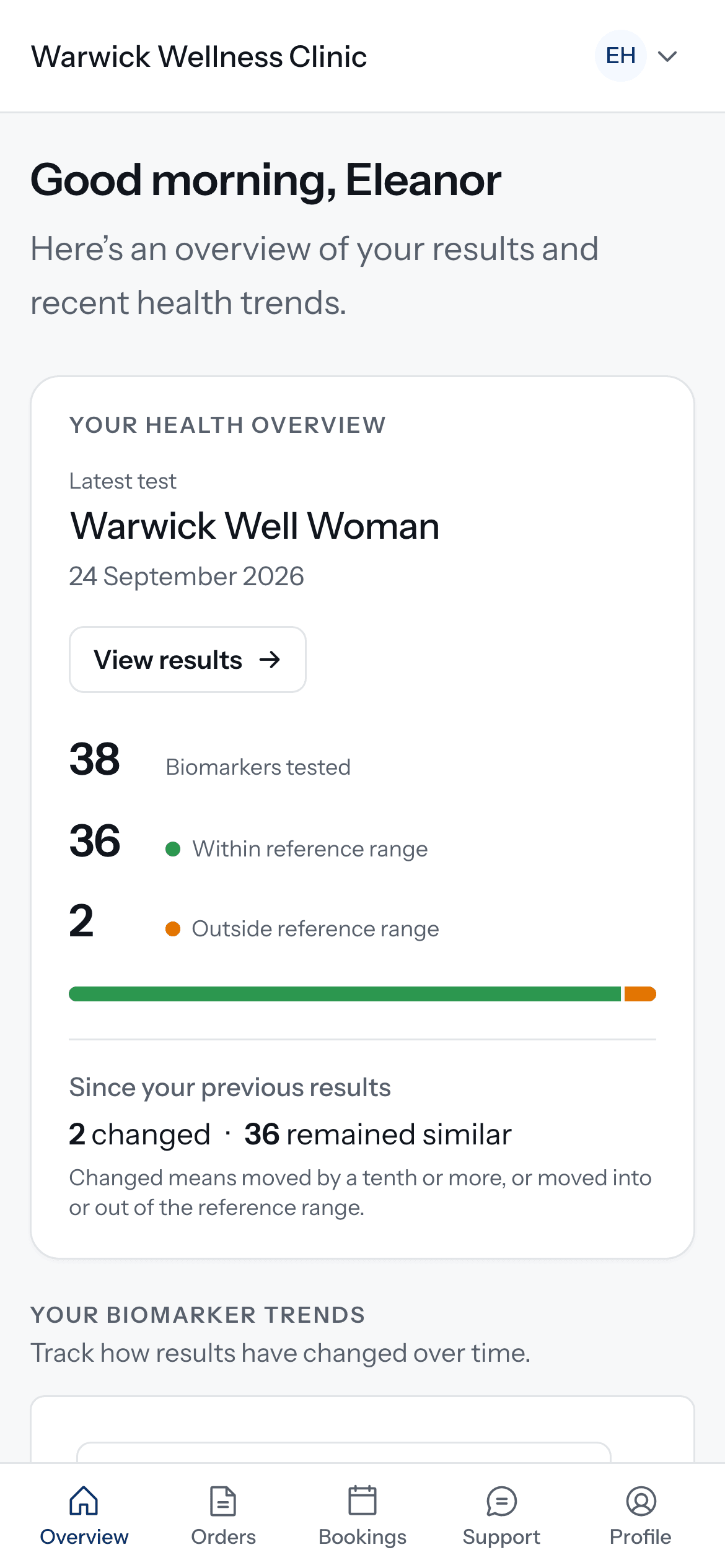
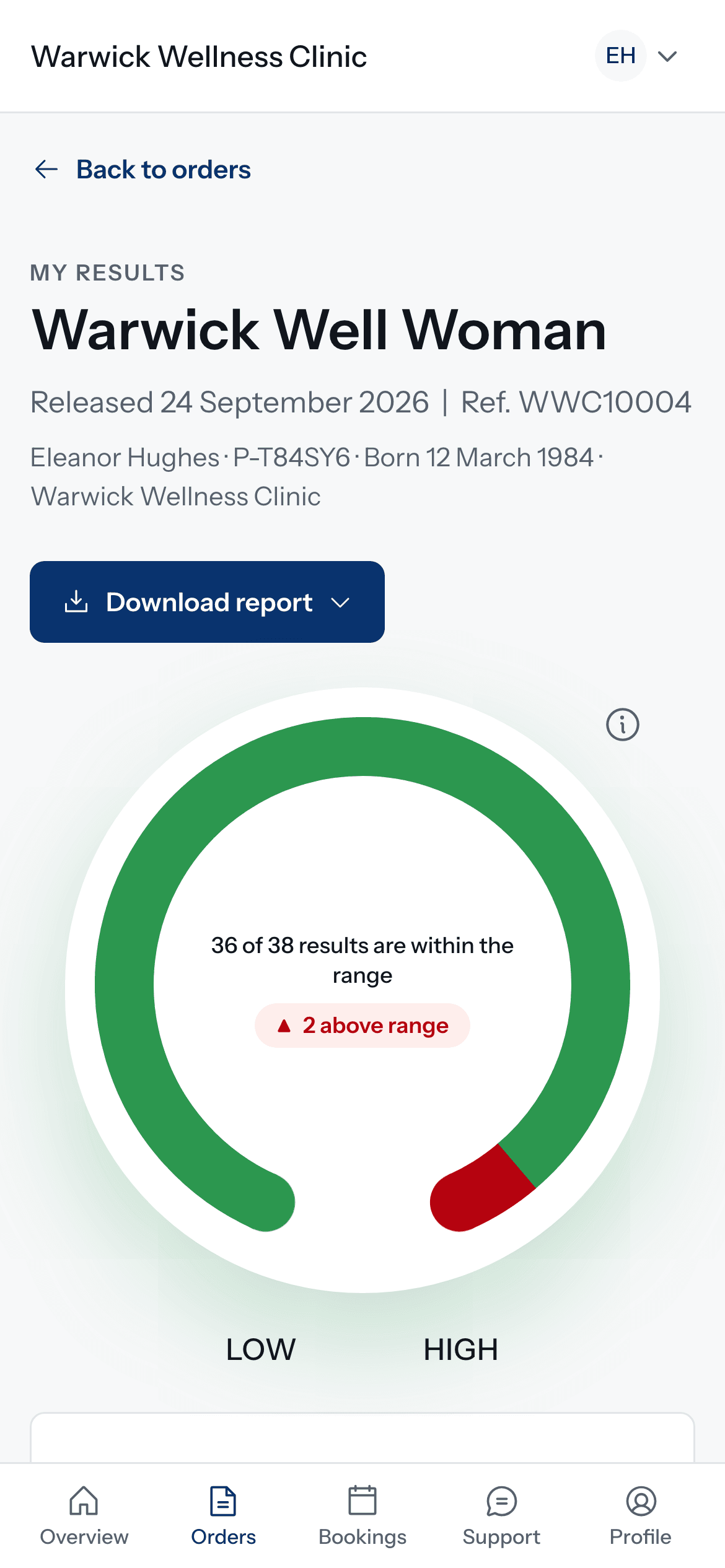
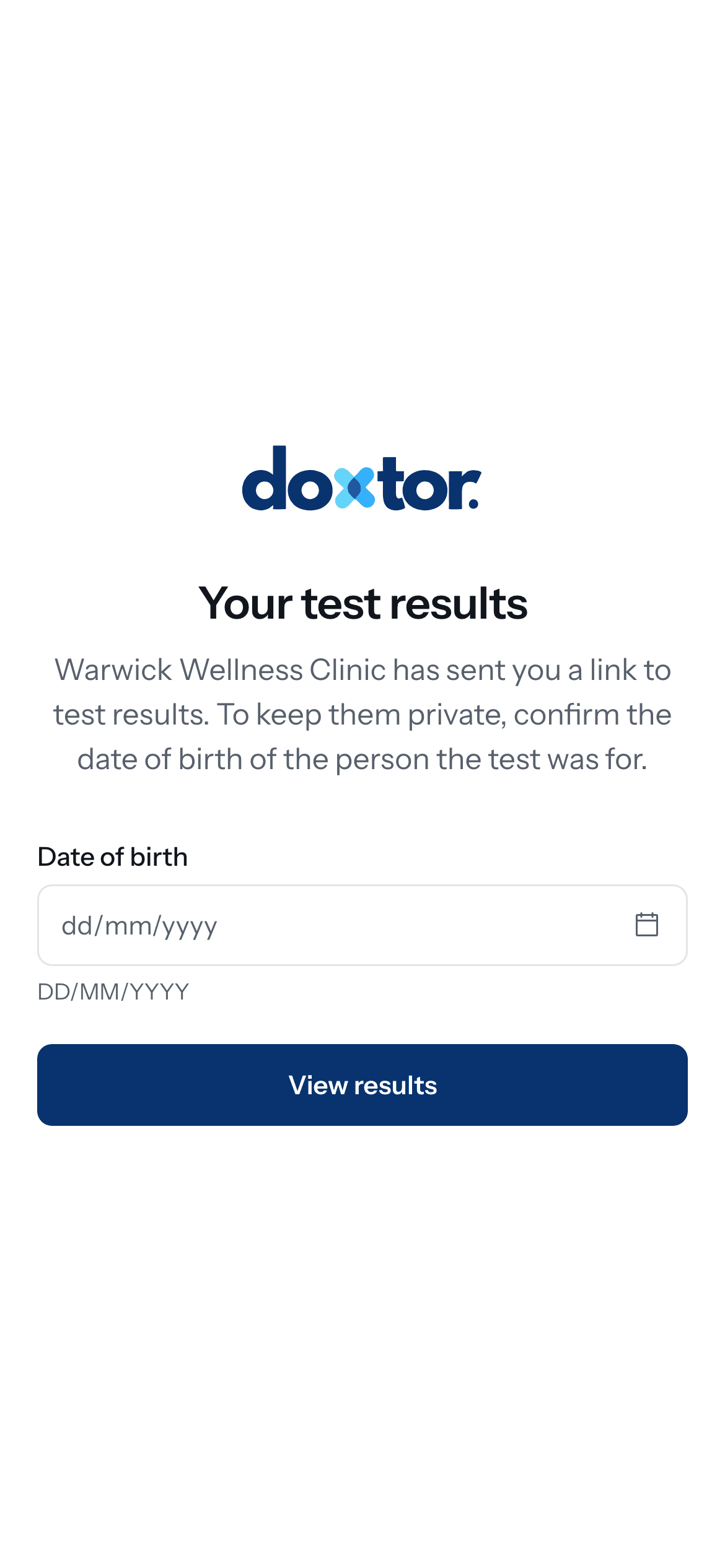
Results reach the patient by a secure link that asks for their date of birth, with a report they can read and download. On Doxtor Pro, patients also have a portal in your clinic's branding, with their results over time.
- Patients are told when results are ready, by email or text message
- The same report PDF your clinic keeps on file
- Your logo and colour on reports, emails and the portal with Doxtor Pro
The rest of running blood testing, handled
Orders and results are the core. Around them sit the records, people and paperwork a clinic deals with every day.
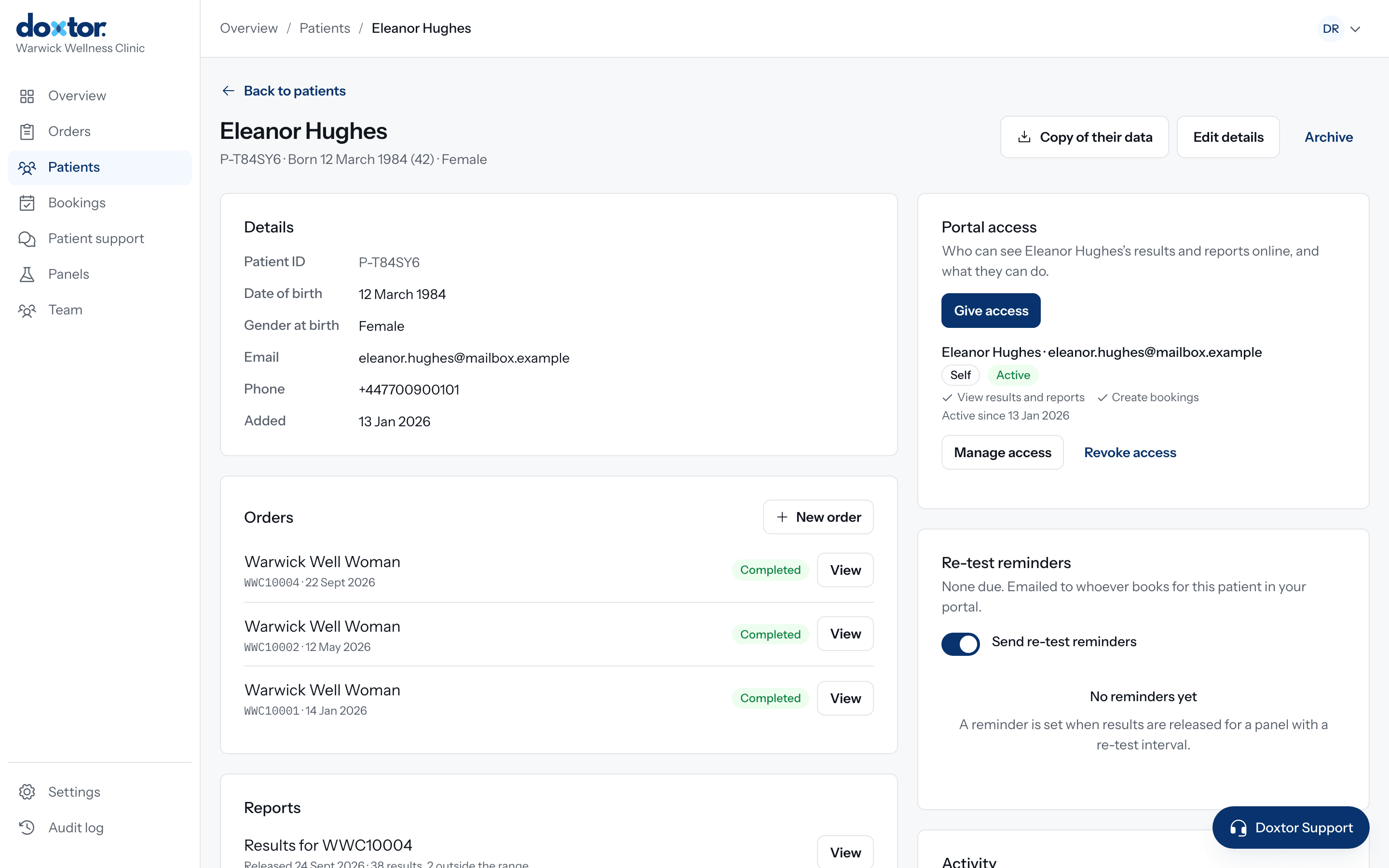
- Patient recordsEvery plan
- Each patient's details, contact preferences, orders and every released report in one record.
- Your own panelsEvery plan
- Put together the tests your clinic sells once, with your own name and a description for patients, and reuse them on every order.
- Team and rolesEvery plan
- Everyone signs in as themselves, with a role that decides what they can see and do. Two-factor authentication can be required for the whole team.
- Audit logEvery plan
- Who placed, changed, released or viewed what, and when, for every significant action.
- One weekly invoiceEvery plan
- Tests are billed once a week, one line per order, in the week the results are reported.
- Patient portalDoxtor Pro
- Patients see their results over time, download reports and write to your clinic. Parents and carers can have access too.
- BookingsDoxtor Pro
- Patients request an appointment from the portal, answer your questions, and your team confirms it and turns it into an order.
- Re-test remindersDoxtor Pro
- Set a re-test interval on a panel and the patient is reminded to book when it comes round.
- Your brand and your addressDoxtor Pro
- Your logo and colour on the portal, reports and emails, served from your clinic's own web address.
Branded reports
A report your patients can read, with your clinic's name on it
Every set of results becomes a report, laid out for a patient to understand and for a GP to scan. With Doxtor Pro it carries your logo and colour from the first page to the last.
- Results at a glance
- How many results are within the range and which are outside it, before any detail.
- Every result in context
- Each biomarker with its result, unit and reference range, and where the result sits.
- A table for the GP
- All results on one page, for a patient to take to their doctor.
- Explained in plain English
- On Doxtor Pro, an interpretation generated automatically from the results. It is for information, says so, and points the patient to a healthcare professional with questions.

Built for clinical data
Blood test results are some of the most personal data a clinic holds. These are the decisions Doxtor is built on. Read how Doxtor protects information.
Held in the UK and EU
Patient records, reports and files are stored in UK or European infrastructure.
Each clinic's data kept apart
Every clinic's records are isolated in the database itself, not only in the application, and tested on every change.
Access is logged
Viewing patient data and every clinically significant action is recorded in an append-only audit log.
Careful with clinical wording
Doxtor reports what the laboratory reported. Results are within or outside the range; nothing is diagnosed.
Interpretation without identity
The automatic explanation is written from results, age and sex at birth only. Never a name, date of birth or contact detail.
Personal sign-ins and roles
Every team member signs in as themselves, and their role decides what they can see and do. A clinic can require two-factor authentication for its whole team.
Make blood testing easier to manage
Bring orders, samples, laboratory results and patient reporting into one workflow.